
Use this checklist to ensure your digital intervention is command-ready.
Phase 1: Defining the "Vibe" (The Intent)
- [ ] The Mission Statement: Can you describe what the app does in one sentence without using technical jargon?
- [ ] The Target User: Is this for the Area Commander, the Field Volunteer, or the General Public?
- [ ] The Aesthetic: Have you defined the visual "vibe" (e.g., "Professional, High-Contrast, Military-Grade Green and Gold")?
Phase 2: The Logic Loop (The 3 Pillars)
- [ ] Trigger (Input): What specific action starts the process? (e.g., A button click, a GPS boundary cross, or a form submission).
- [ ] Logic (Process): What happens in the "brain" of the app? (e.g., "If time > 22:00, then send High Priority Alert").
- [ ] Output (Result): Where does the data land? (e.g., A shared Google Sheet, a push notification, or a map update).
Phase 3: The 3-Second UI (The User Interface)
- [ ] The Homepage: Does the most important button (The Action) stand out immediately?
- [ ] Navigation: Can a user reach the "Success" screen in 3 clicks or less?
- [ ] Clutter Audit: Have you removed every element that doesn't help the user complete the mission?
Phase 4: Operational Security (The Audit)
- [ ] Data Privacy: Have you asked the AI: "What are the risks of storing this specific data?"
- [ ] Fail-Safe: What happens if there is no internet? Does the app have an "Offline Mode" logic?
🛠️ READY TO VIBE? (TOOL STACK)
- For UI Generation: Use
v0.dev. - For Logical Brains: Use
Claude.aiorGemini. - For Data Storage: Use
Google Sheets. - For Rapid Deployment: Use
Glide Apps.
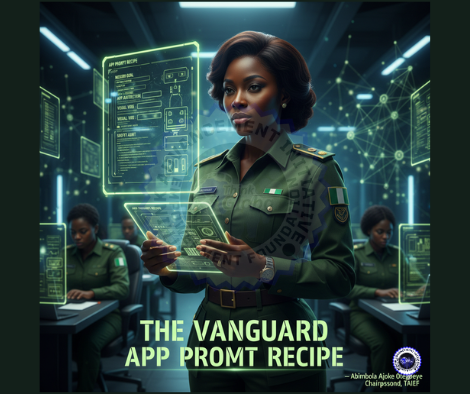
🧪 THE VANGUARD APP PROMPT RECIPE
To ensure every comrade can bridge the gap between "Idea" and "Architecture," we have drafted the Vanguard Master Prompt Recipe.
Think of this as your Operational Order (OPORD) for the AI. Copy the block below, fill in the brackets, and paste it into Claude, Gemini, or v0.dev to see your app come to life.
Copy and paste the text below. Only change the words inside the [BRACKETS].
Markdown
Act as a Senior Full-Stack Developer and UI/UX Architect.
I am building a specialized tool called "[INSERT APP NAME]" for the [INSERT AREA COMMAND/UNIT].

MISSION GOAL:
The primary problem this app solves is [DESCRIBE THE PROBLEM, e.g., tracking late arrivals at parade].

APP ARCHITECTURE:
1. THE TRIGGER (Input): The user should be able to [DESCRIBE THE FIRST ACTION, e.g., tap a large green "Check-In" button].
2. THE LOGIC (Process): When that happens, the app must [DESCRIBE THE "BRAIN" ACTION, e.g., capture the GPS location and timestamp, then compare it to the 0700HRS deadline].
3. THE RESULT (Output): The data should then be [DESCRIBE WHERE IT GOES, e.g., sent to a live dashboard for the Area Commander].

VISUAL VIBE:
- Style: [e.g., Tactical, Clean, Minimalist, or Rugged].
- Colors: Primary [INSERT COLOR 1], Secondary [INSERT COLOR 2].
- Device: Optimized for [e.g., Mobile Android / Field Tablet].

SAFETY AUDIT:
Please describe the User Interface (UI) for the Home Screen and the "Success" screen.
Additionally, identify 3 data privacy risks for this specific use case and suggest how to mitigate them.
🕵️ THE SECRET SAUCE (WHY THIS WORKS)
- The Persona: By telling the AI to act as a "Senior Full-Stack Developer," you force it to provide technical, high-quality logic instead of generic advice.
- The 3 Pillars: Explicitly defining the Trigger, Logic, and Output prevents the AI from getting confused and giving you "fluff."
- The Vibe: Specifying Style and Colors ensures the AI doesn't design something that looks like a candy store app when you need a command tool.
📝 EXAMPLE IN ACTION
"The user should be able to tap a 'Report Incident' button... the app must attach a photo and GPS coordinates... the result should be a Red Alert notification on the Duty Officer's phone."
⚡️ COMMAND DIRECTIVES
"In the Digital Vanguard, we don't ask the AI for 'an app.' We give the AI a Blueprint. Clarity in your prompt equals power in your product."
"Complexity is a cloak for a lack of clarity. If you can’t describe the 'vibe' of your solution, you haven’t mastered the problem yet. Vibe for Victory."
Move Higher!